
Bob Lin Photography services
Real Estate Photography services




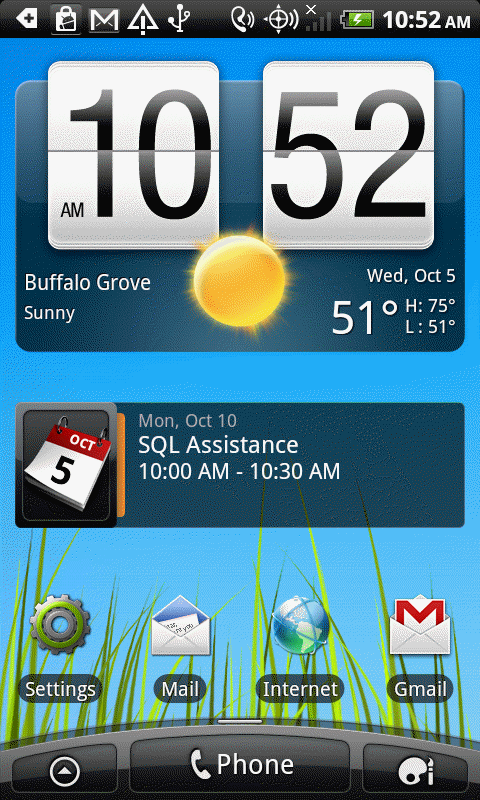
1. Select Settings from All Applications.
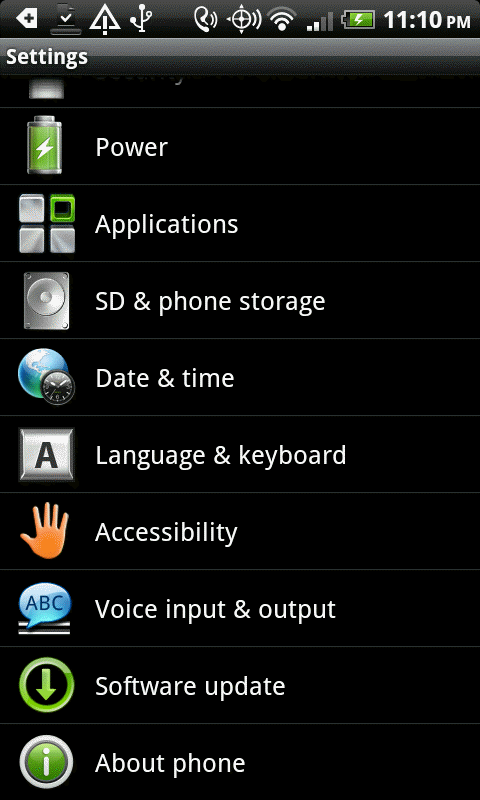
2. Tap Applications.
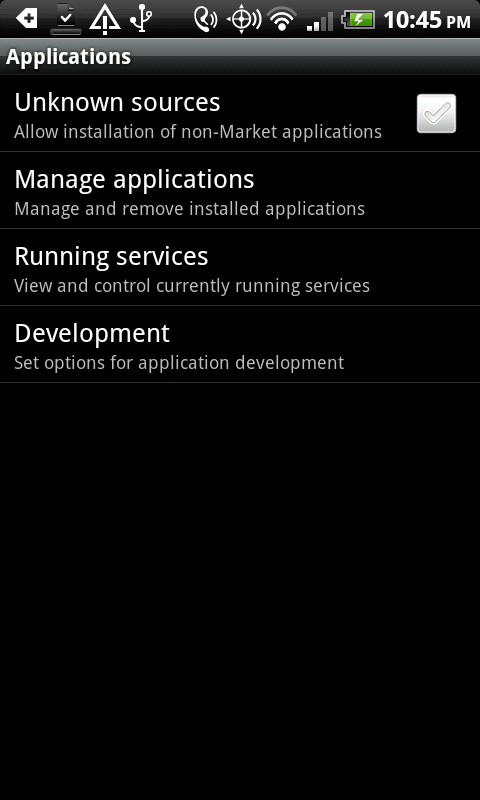
3. In the Applications, tap Development. .
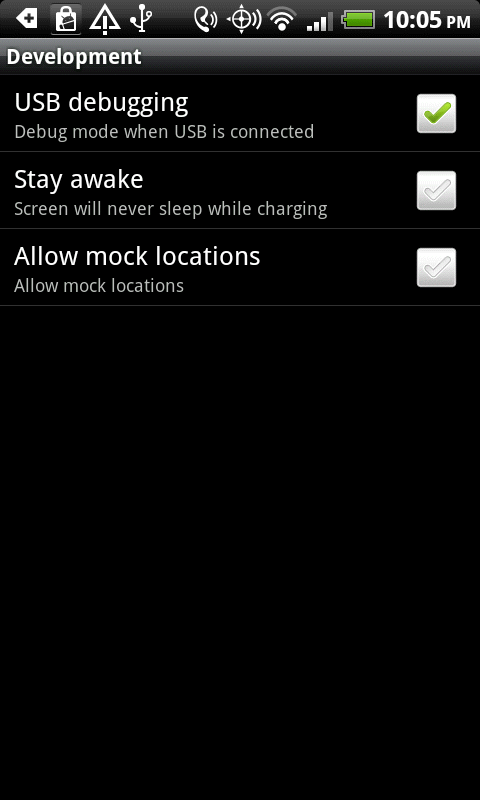
4. Check USB Debugging to enable it.
|
|
Bob Lin Photography services |
|
How to enable USB Debugging in Android Phone
- Step by step with screenshots 1. Select Settings from All Applications.
2. Tap Applications.
3. In the Applications, tap Development. .
4. Check USB Debugging to enable it.
|
|
|
