Bob Lin Photography services
Real Estate Photography services




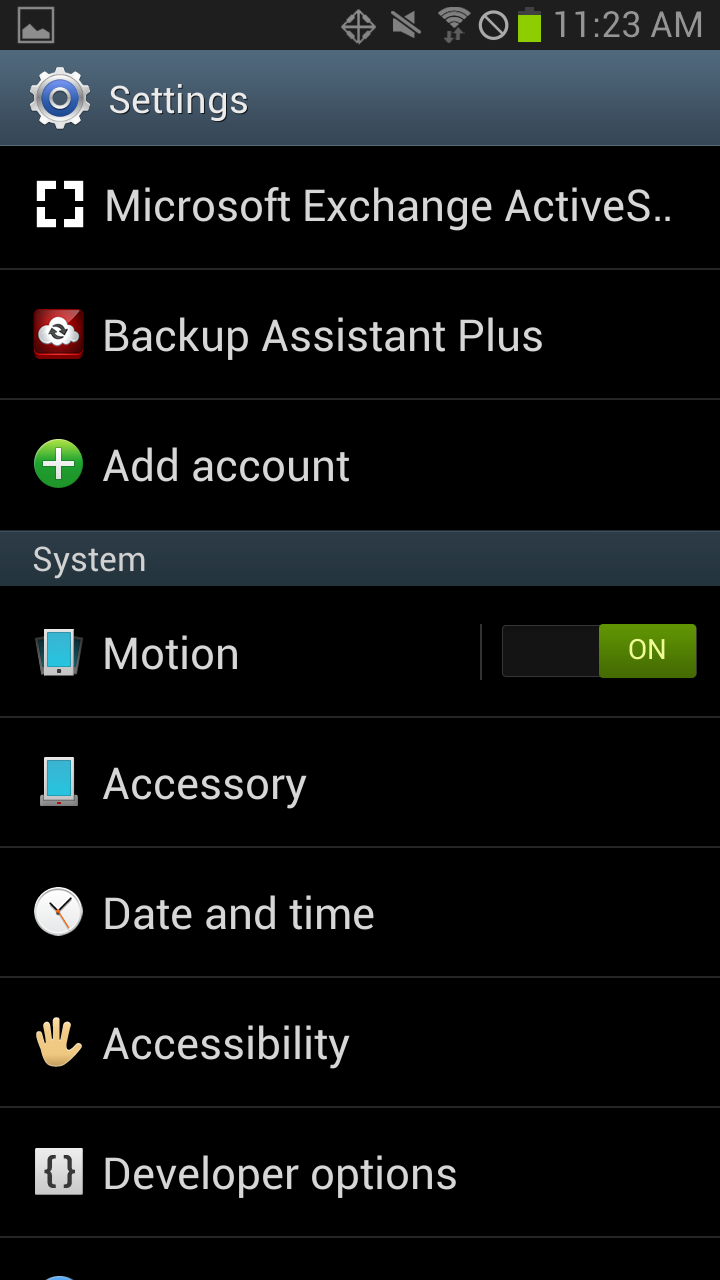
1. Open Settings on Samsung Galaxy Phone.
2. Under system, you can turn on or off the Motion.
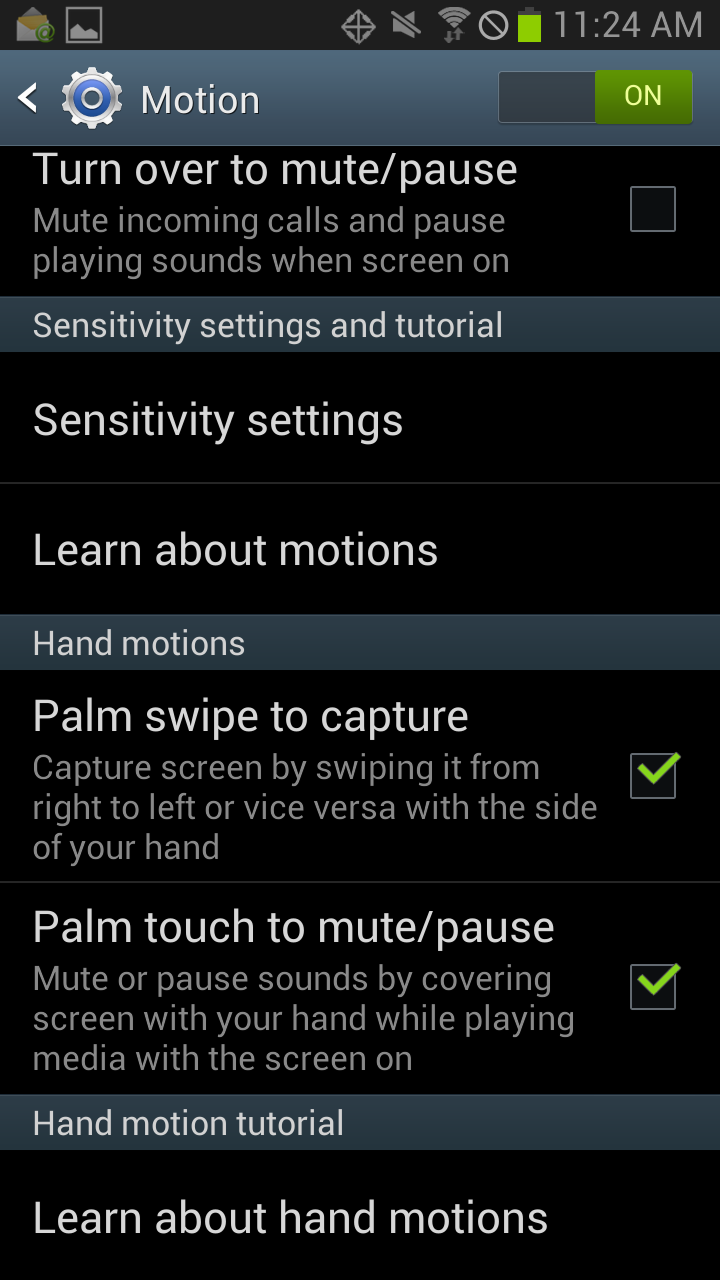
3. Tap on Motion, you have these options: Turn over to mute/pause, Sensitivity settings, Palm Swipe to capture, palm to mute/pause.