Bob Lin Photography services
Real Estate Photography services




1. In the Home page, tap
 - Apps
2. In the Developer options page, tap Settings.
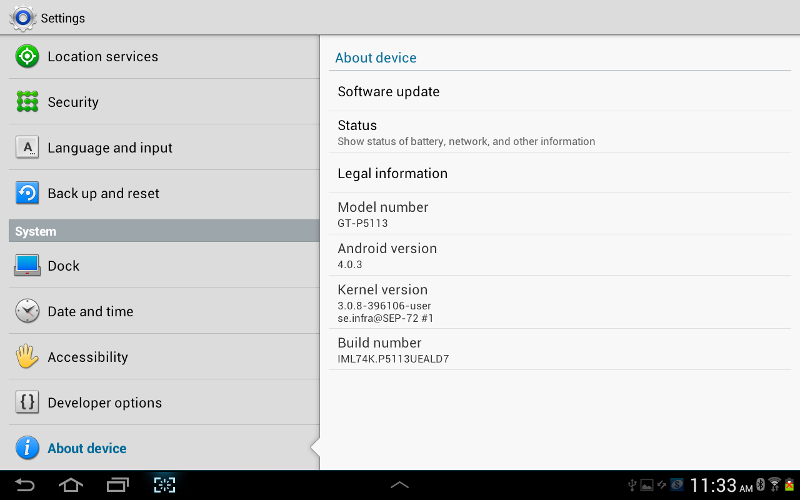
3.Tap About device under System.
4. Here, you can check Software update, Status, Model number, Android version, Kernel version, Build number.