QuickSetupGuide.Com 
Home  Forums   Net Issues  Net How To   MS-MPVS   Cisco How To   Wireless  Search   About Us


Internet TV

SmartPhone

Tablets

Others
How to backup and reset in Samsung Galaxy Tab 2 - Step by step with screen shots

1. In the Home page, tap All Apps - Apps
2. In the Apps page, tap Settings.
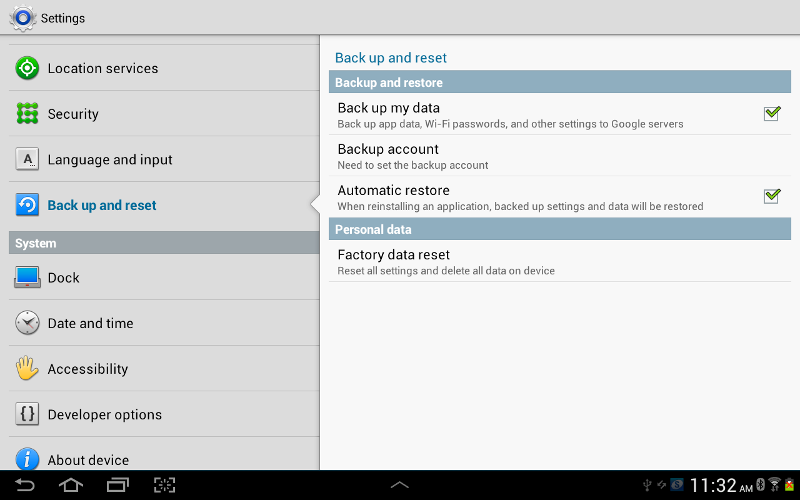
3.Tap Back up and reset under Personal.
4. Here, you have options to Back up my data, Backup account, Automatic restore and Factory data reset.


This web is provided "AS IS" with no warranties.
Copyright © 2002-2013 ChicagoTech.net, All rights reserved. Unauthorized reproduction forbidden.


