
Bob Lin Photography services
Real Estate Photography services




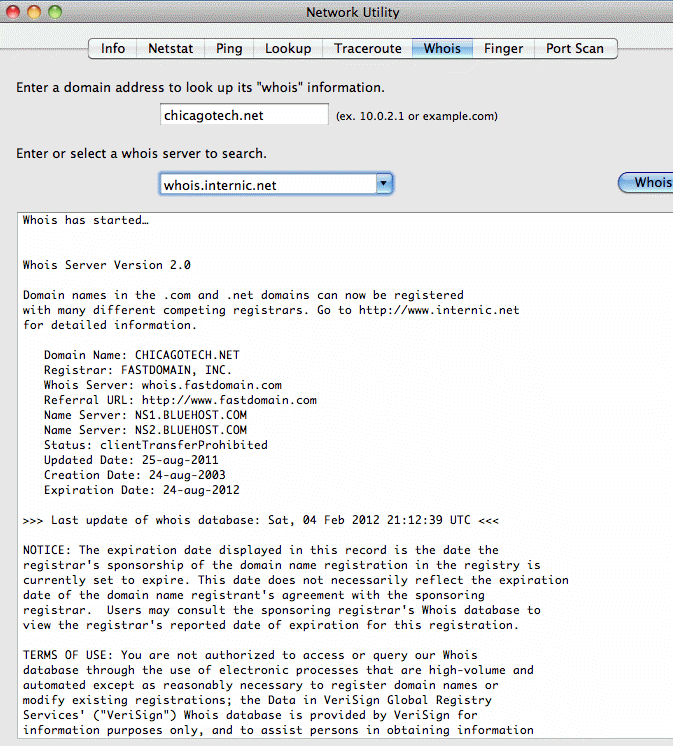
1. Open Network Utility by navigating to Applications>Utilities>Network Utility.
2. Click Whois tab.
3. Enter the IP address or website name and then click on Whois.
|
|
Bob Lin Photography services |
|
How to check Whois using Whois in Mac
Network Utility 1. Open Network Utility by navigating to Applications>Utilities>Network Utility. 2. Click Whois tab. 3. Enter the IP address or website name and then click on Whois.
|
|
|
