Bob Lin Photography services
Real Estate Photography services




If you've purchased an app for your iPad or iPhone that doesn't work as described, you may request a refund from Apple via iTunes.
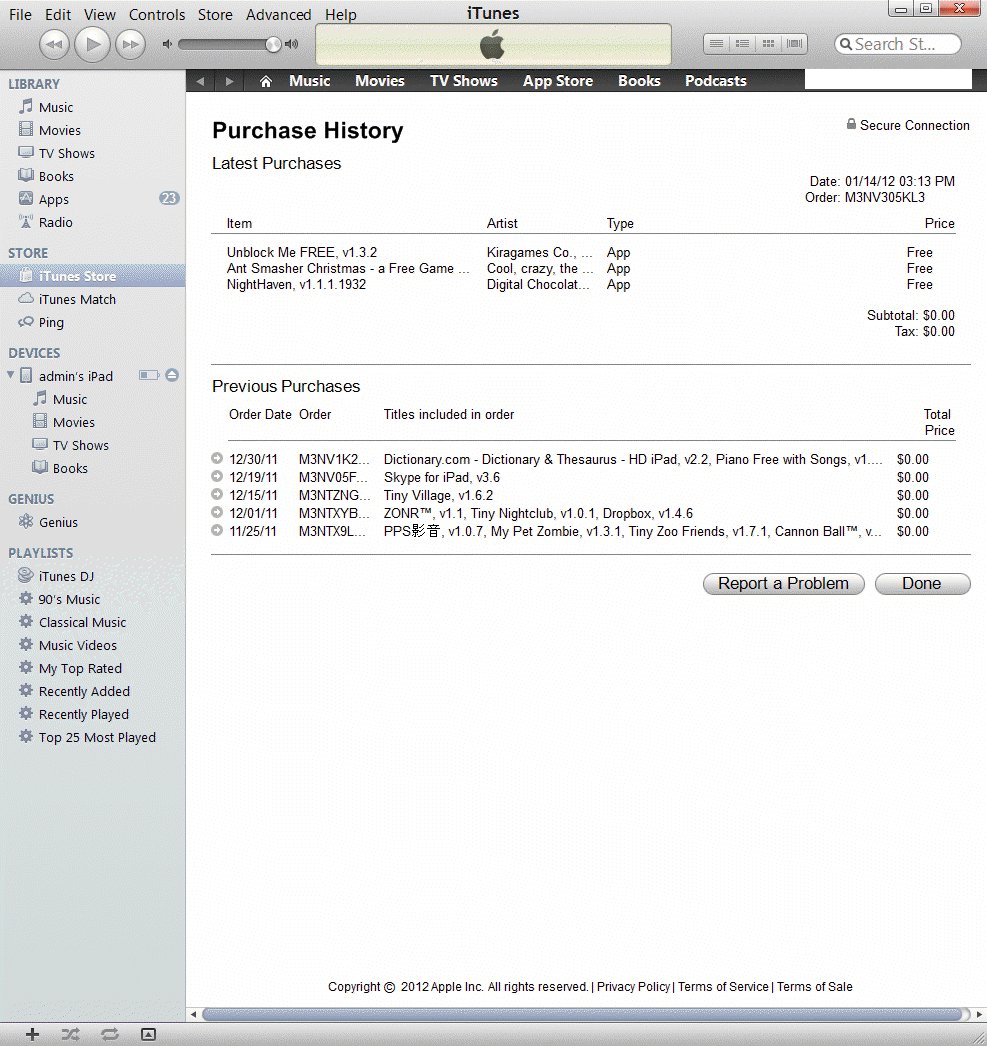
If you receive the purchase conformation, click the “Report Problem” link next to the app that you would like to return.
Or you can login iTune to get the refund. Follow this instruction to open Account Information: How to check Account Information on iPhone or iPad
in the Purchase History, click Report a Problem and then follow the instruction.