Bob Lin Photography services
Real Estate Photography services




1. In the Home screen, tap Settings.
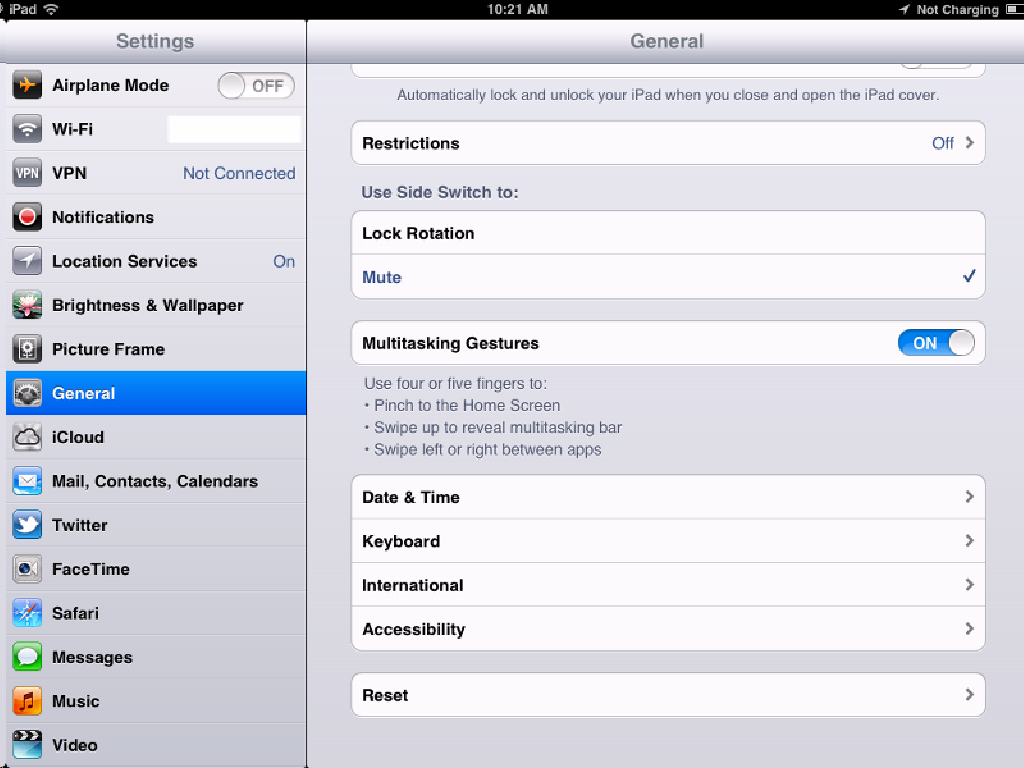
2. Tap General.
3. In the bottom, tap Reset.
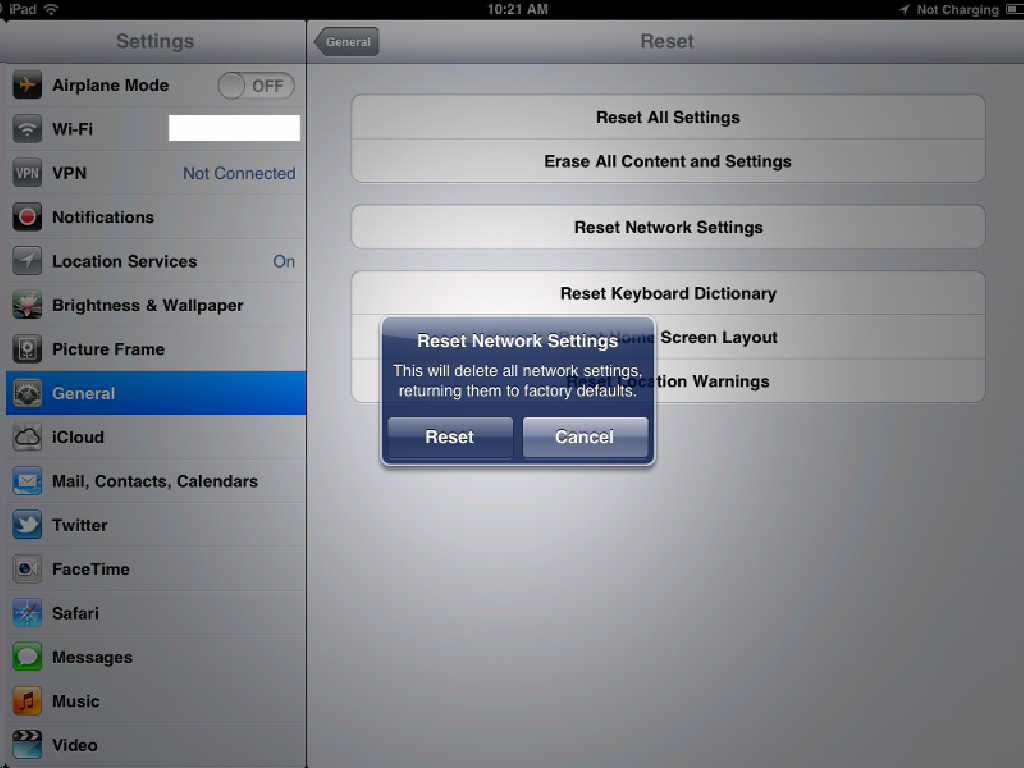
4. Tap Reset Network Settings.
5. You will be promoted for a warning: "This will delete all network settings, returning them to factory defaults". Tap Reset to continue. The iPad or iPhone will reboot.