Bob Lin Photography services
Real Estate Photography services




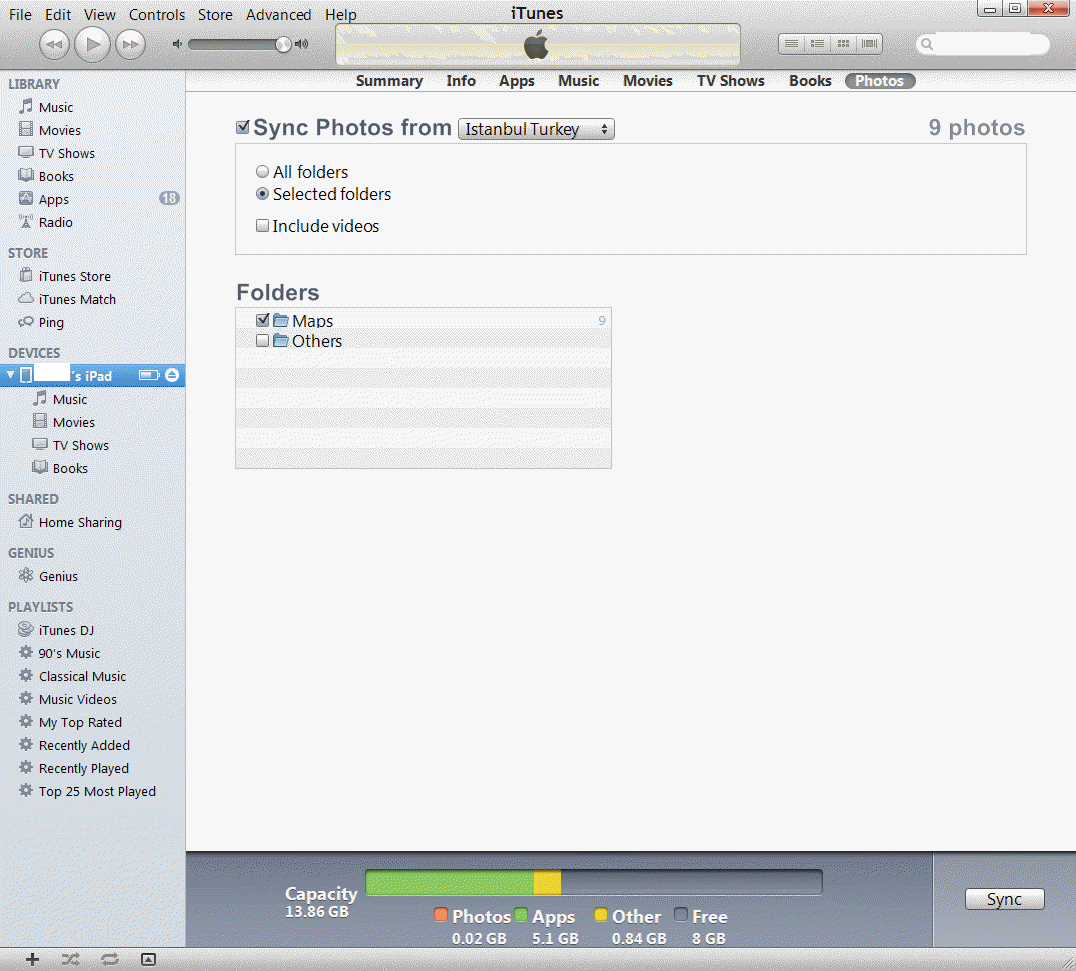
1. Connect iPad/iPhone to the computer.
2. Login iTune.
3. Click Photos in the iTune menu..
4. Check Sync Photos from..
5. Check All folders or Select folders.
6. If you check Selected folders, browse to the folders. .
7. Check the folders you want to transfer.
8. Click Sync to start the transfer the photos.
8. Now, you should downloaded those photos to the iPad/iPhone.