
Bob Lin Photography services
Real Estate Photography services




In this article, we assume User B needs to access and edit User A’s Calendar.
1. On the Mac login User B, open iCal.
2. Go to iCal menu at top then select to Preferences.
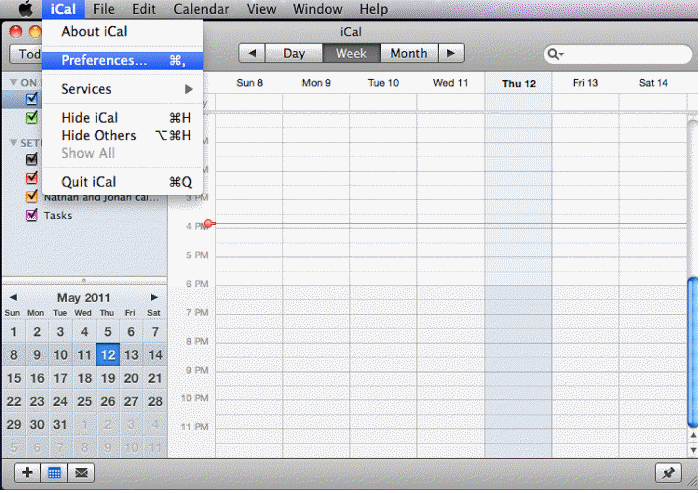
3. In the iCal Reference, select Accounts.
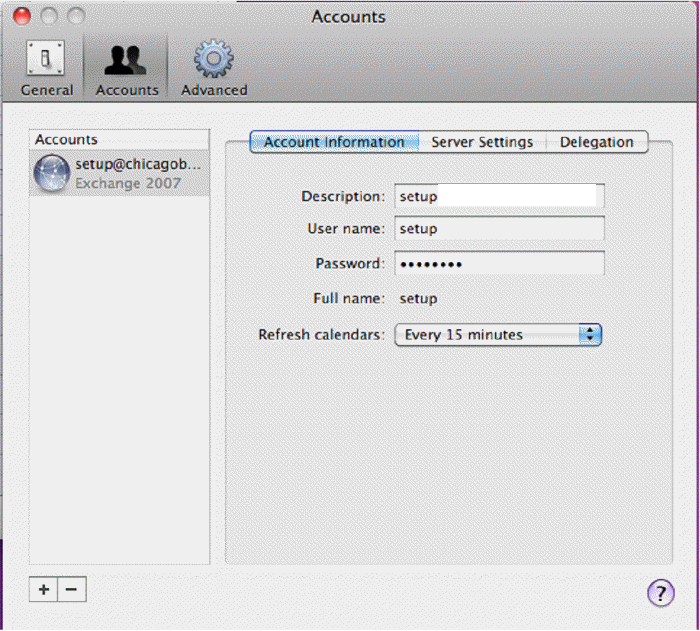
4. At the bottom click the plus sign (+).
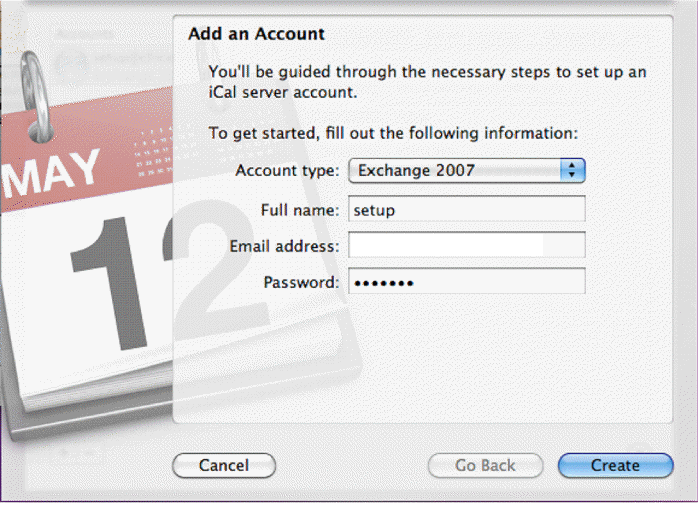
5. In Add an Account page, select Exchange 2007 as Account type and enter the User A information as shown example below.
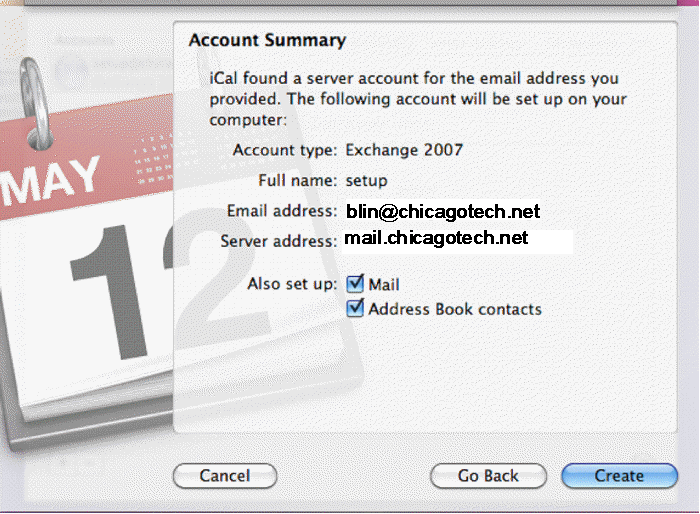
6. Click Create, you will see the Account Summery as shown below. Click Create again to add User A Calendar on User B’s iCal.
7. Now, the User B should be able to access and edit User A’s Calendar.
