
Bob Lin Photography services
Real Estate Photography services




iOS devices such as iPad and iPhone require Apple Mobile Device Support installed on your computer. By design, Apple Mobile Device Support should be automatically installed with iTunes when connecting to Apple device. Your Apple device may have a problem to sync if Apple Mobile Device Support is not installed on the computer the device connecting to. Here is the steps to verify whether it is installed on Windows PC.
A. In Windows XP:
1. Click Start and choose Control Panel.
2. Open the "Add or Remove Programs"
3. Verify that Apple Mobile Device Support is in the list of currently installed programs without any issues.
B. Iin Windows Vista and Windows 7:
1. Type Program in the Start.
2.. Click "Programs and Features".
3. Verify that Apple Mobile Device Support is in the list of currently installed programs.
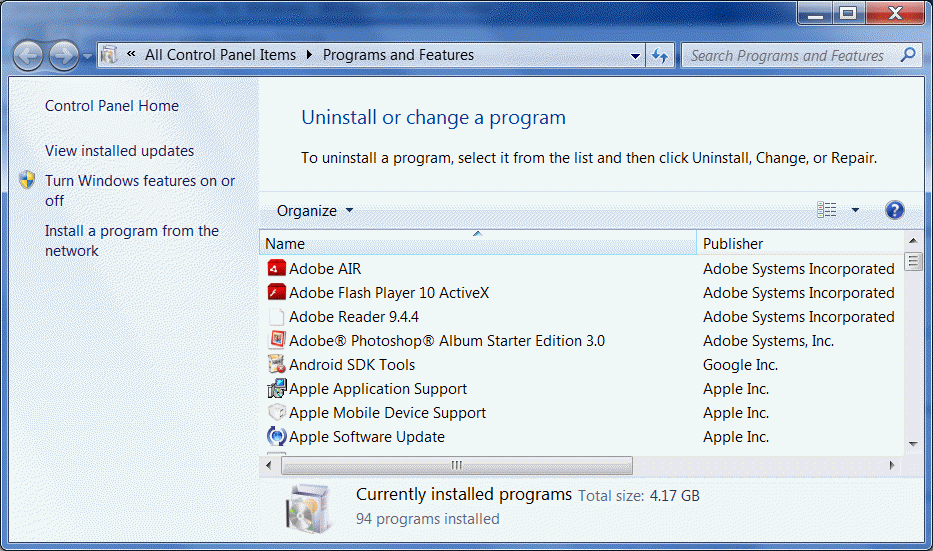
If Apple Mobile Device Support is not listed, remove and re-install iTunes.
